Start a pomodoro timer
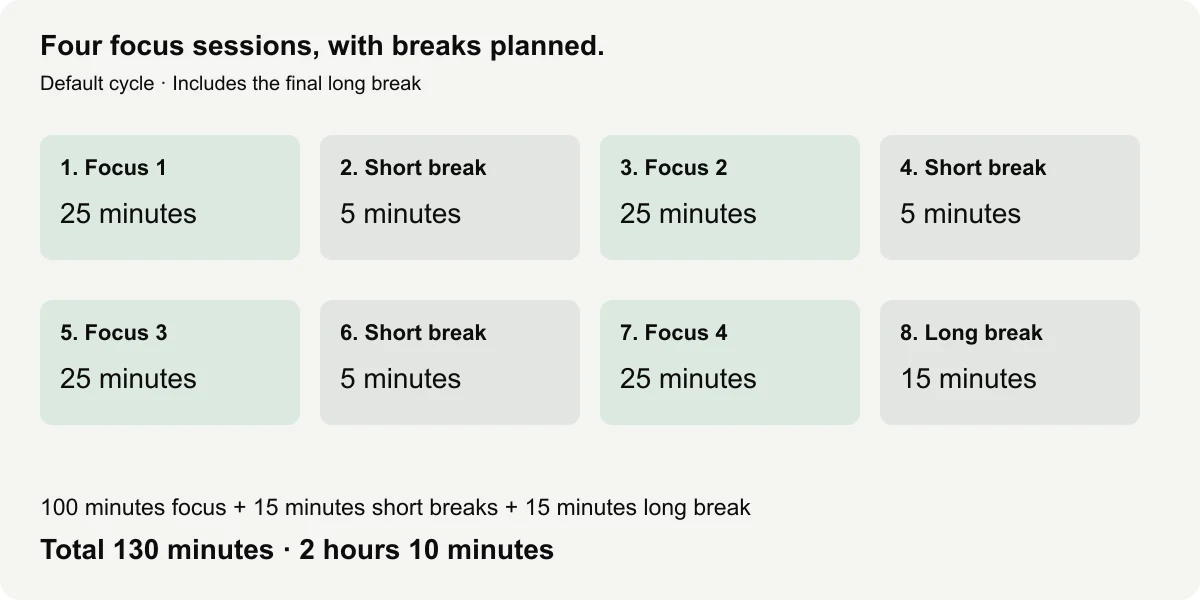
Choose your task and inspect the cycle, then press Start. The pomodoro timer begins with twenty-five minutes of focus, five-minute short breaks after the first three focus sessions and a fifteen-minute long break after the fourth. The final long break is included by default, so the full cycle lasts 130 minutes.
- Open one task and check the focus, break and session settings.
- Read the cycle preview, then test the beep or choose Silent.
- Press Start; Pause holds the cycle and Resume continues the current phase.
The main digits show the current phase remainder. Phase text identifies Focus, Short break or Long break, and the session counter shows where you are in the cycle. Overall remaining time covers all unfinished phases. These labels help distinguish a short break from a fresh focus session without relying on sound or color alone.
A focus timer gives you a chosen period for one task. Prepare the file, passage or materials before starting, then keep a separate note for distractions or follow-up work. This page supplies a time pattern, not a promise that the pattern will improve productivity, suit every person or make an oversized task fit a short session.
If you only want a single ten-minute block, use the 10 minute timer. Here, you can set focus to ten minutes while keeping the break schedule, but that produces a different workflow. The default cycle is ready for inspection, and nothing begins or plays a sound until you take a deliberate action.
The starting focus period behaves like a 25 minute timer within a larger sequence. It is followed by the previewed break rather than a silent return to a fresh focus round. When the entire cycle finishes, the timer stays Finished until you choose Repeat or reset. It does not silently begin another two-hour cycle.
Follow the focus and break cycle
The pomodoro timer preview lists every phase in its applied cycle. Four twenty-five-minute focus sessions total one hundred minutes. Three five-minute short breaks add fifteen minutes, and the final long break adds another fifteen. That is 130 minutes, or two hours and ten minutes, including the final break.
| Phase | Duration in minutes | Cumulative end in minutes |
|---|---|---|
| Focus 1 | 25 | 25 |
| Short break 1 | 5 | 30 |
| Focus 2 | 25 | 55 |
| Short break 2 | 5 | 60 |
| Focus 3 | 25 | 85 |
| Short break 3 | 5 | 90 |
| Focus 4 | 25 | 115 |
| Long break | 15 | 130 |
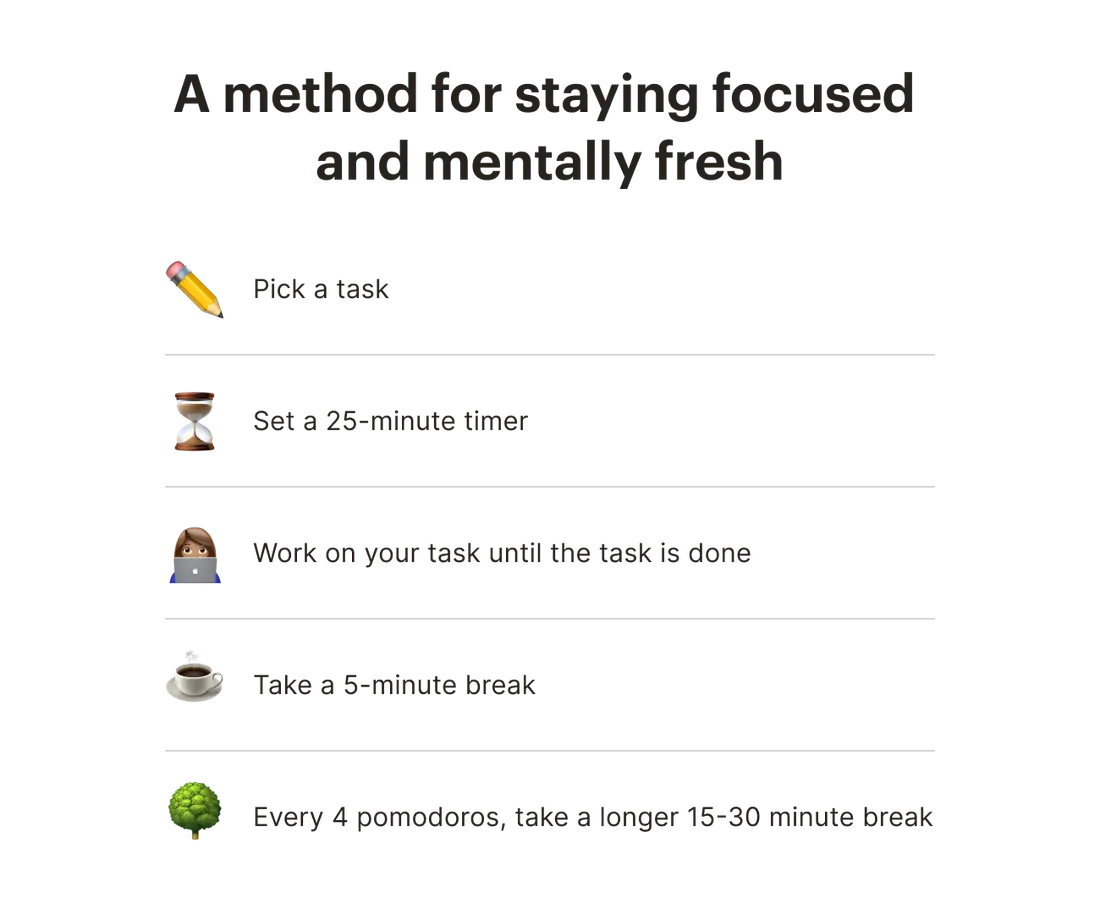
See other publishers’ method examples
At twenty-five elapsed minutes, the first short break begins. At 115 minutes, the fourth focus session is complete and the long break begins. At 130 minutes, the cycle is Finished. Paused time is excluded from those elapsed boundaries, and an explicit Skip changes the remaining schedule rather than pretending the skipped time was worked.
Set short and long breaks
The focus timer accepts a focus duration from one to sixty whole minutes. Short and long breaks accept zero to sixty whole minutes. Choose one to eight focus sessions before the long break, and keep the entire cycle within twenty-four hours. Invalid or blank entries receive a specific message instead of being silently turned into another duration.
Short breaks occur between focus sessions. A long break follows the last focus session when Include final long break is enabled. If you turn that option off, the default four-session cycle lasts 115 minutes and finishes after Focus 4. The preview shows the removed phase and revised total before you start.
For a shorter example, set focus to ten minutes, short breaks to two, long break to five and sessions to two. Including the final break gives 10 + 2 + 10 + 5 = 27 minutes. Excluding it gives twenty-two. Check the applied preview instead of assuming that a focus-length edit leaves the same overall finish time.
The 25 minute timer pattern is a starting setting rather than a mandatory rule. Use breaks that fit the task and your circumstances. If a break is set to zero, its empty phase is omitted; the next focus session follows without a timed pause. The session counter still distinguishes the separate focus periods.
| Custom choice | What changes | What to check |
|---|---|---|
| Shorter focus | Each focus phase gets shorter | Overall cycle total |
| Zero short break | Empty short-break phases are omitted | Consecutive focus sessions |
| Final long break off | Cycle ends after the last focus phase | Revised finish time |
| Fewer sessions | Fewer focus phases before the long break | Session count and preview |
Adjust sessions without losing the schedule
Apply schedule edits while the pomodoro timer is stopped. If it is running or paused, reset the current cycle before applying a new one. This keeps the phase names, total and counter tied to a single clear configuration. The form values alone do not silently replace a phase already underway.
Choose a task label short enough to read during focus. A label such as “Draft outline” can remind you of the selected outcome without including the whole assignment. Keep private notes in your own work document. Local saving is optional, and no task label is added to a public share link or sent to a timing service.
If you finish an item before the 25 minute timer phase ends, decide deliberately what to do next. You can continue with a related task, Pause to review your plan or Skip the remaining phase. The tool does not judge the outcome or automatically infer that finishing a file means a focus phase should end.
For a single shorter task with no scheduled breaks, choose the 20 min timer or 30 minute timer. A 5 minute timer can handle an independent transition. If you need a work/rest routine with a fixed round count and second-level inputs, open the interval timer.
Pause, skip or finish a cycle
Pause holds the pomodoro timer at its current phase remainder and overall remainder. If you pause halfway through a short break, Resume continues the rest of that break before the next focus session. Time spent paused does not count as focus or break time. This is useful when the interruption should sit outside your chosen schedule.
Skip is a separate deliberate action. It ends the remaining part of the active phase and advances to the next phase, updating the future preview and remaining cycle time. If you skip a five-minute break at its start, those five minutes disappear from the unfinished cycle. Skip does not imply that you completed a focus session’s work.
On the last phase, Skip finishes the cycle. It does not start a new cycle. Repeat starts a complete cycle with the applied configuration, while Reset returns that configuration to Ready state. Read the state before choosing a button, especially after a long interruption, so the next action reflects what you intend to time.
The focus timer identifies the active phase using elapsed time and the complete phase list. When browser execution is delayed, the next callback catches up to the scheduled phase rather than extending every missed boundary. It avoids replaying a burst of transition beeps for all the phases that passed in the background.
For example, if a default cycle returns after twenty-six active minutes, it is in the first short break with four minutes remaining. If it returns after 116 minutes, it is in the long break with fourteen minutes remaining. At or beyond 130 minutes, it reports the overdue finish once. These are schedule calculations, not guarantees about when a suspended device will sound.
Beep is optional. Test it before beginning and check device volume, speakers and tab mute settings. Sound is generated locally after a user gesture, with no background music or ticking loop. MDN’s autoplay guide explains why a browser may still restrict playback. Written phase and finish states remain available when audio is blocked.
Keep the page open and the device awake when you need to notice transitions. Optional Keep screen awake requests browser support while the cycle runs, but wake locks can be denied or released. Pausing or finishing releases the request. Closing the browser does not leave a dependable scheduled alarm running elsewhere.
Fullscreen enlarges the display without changing the cycle. Space starts or pauses outside text fields, R resets and F requests fullscreen. Escape exits supported fullscreen. If the request fails, the regular page remains usable, with a message explaining the limit. Every shortcut also has a labeled button, so it is not necessary to remember key commands.
Optional Save on this device stores the applied schedule and a snapshot in this browser. After a reload, you choose whether to restore the remainder as paused or start fresh. The tool does not play an old phase alarm on load. Storage restrictions may prevent saving, and clearing saved settings removes this page’s local record without uploading it anywhere.
Use the first cycle to check that your selected focus length, break lengths and end rule match your task. If you repeatedly choose Skip, consider adjusting the next cycle while stopped rather than treating the default as a requirement. The useful result is a readable schedule you can control, with clear boundaries and honest limits.
For a problem report, send the applied focus, short-break, long-break and session values through Contact, along with whether final long break was enabled. Describe the exact Pause, Resume or Skip steps and the phase you expected. Numeric settings and browser details are enough; avoid sharing private task labels or sensitive work material.
Frequently asked questions
What is the starting schedule?
The default is 25 minutes of focus, a five-minute short break after the first three sessions, then a fifteen-minute long break after the fourth.
Can I change the focus length?
Yes. Edit it before starting, or pause and reset the cycle before applying a new schedule.
How long is one complete default cycle?
Four focus periods total 100 minutes. Three short breaks add 15 minutes and the final long break adds 15, making 130 minutes.
Can I skip a break?
Yes, with an explicit Skip action. The preview and remaining cycle time update so the schedule stays clear.
Can I use ten-minute focus blocks?
Yes. Set focus to ten minutes, or use the homepage for a single ten-minute countdown without break phases.
Optional video: Beginner's Guide to the Pomodoro Technique
This optional explanation introduces the method. The HTML cycle table above describes this site's exact default. The provider lists English automatic captions. The interactive timer above remains available without loading this video.
Video credit: Todoist. Loading the player connects to YouTube. Watch on YouTube.